Telstra eSIM Australia: Why the QR Code Only Works Once

Roami Team
Roami offers reliable eSIM plans, serving over 1 million travelers annually, and supports automatic local network switching to help travelers stay connected globally.
📑 Table of Contents
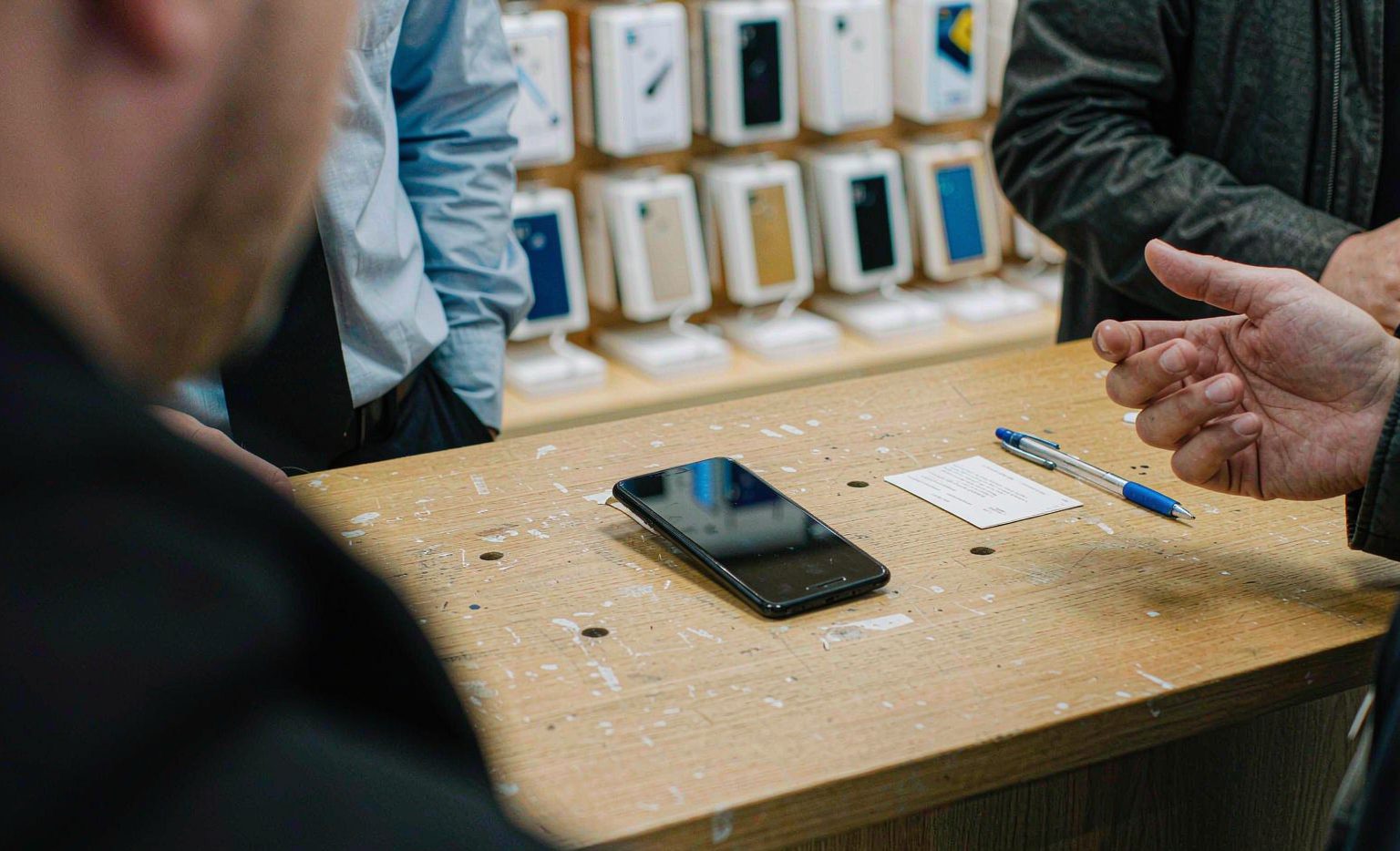
The Telstra QR code on your order confirmation email is a one-shot ticket. It carries an activation token that installs one eSIM profile onto one handset, once. Scan it, and it has done its job. Scan it again and nothing happens, because there is nothing left to happen. That one property is behind most of the searches for a Telstra QR code that arrive at eleven at night.
If that is where you are, the recovery route is not another QR code. Telstra lets you re-download the profile from the My Telstra app with the Telstra ID and email you used to buy it, and that path works whether or not you still have the original code, whether the code has been used, and whether you have already deleted the eSIM by accident. The code is one way in. It is not the only way in, and for most people stuck at this step it is the wrong way in.
What follows is about the mechanics of getting a Telstra eSIM onto a phone and keeping it there: where a Telstra QR code actually comes from, what each scan error means, why a code scanned on the wrong handset is spent, and how the whole procedure compares with Optus. It covers a Telstra eSIM Australia customers buy directly from Telstra, not the travel eSIMs that happen to roam onto the same network. If you are still deciding which network to be on, the comparison of how the three carriers reach outside the cities is the page you want, and the brand-level shortlist covers travel plans that are not Telstra at all.
A Telstra QR code is a single-use token, not a ticket you keep
Telstra states the rule plainly on its own activation support page: the QR code will only work one time, and once the eSIM is installed you should not delete it. That is not a warning about carelessness. It is a description of what the code is.
A QR code in this context is not a password or a voucher. It is a pointer: an address for the provisioning server plus an activation token that the server will honour once, for the device identity that presents it. The first handset to complete the download consumes the token. Every later scan either fails outright or, from a different phone, reports that the eSIM is already in use.
Two practical consequences follow, and both catch people out.
A screenshot is not a backup. Photographing the QR code from your laptop screen and filing it in your camera roll feels like prudence and is actually the opposite: the image in your photos is already spent, and having it there makes you feel covered when you are not. The thing you should have saved is the login details for the My Telstra account that owns the service.
Deleting the eSIM is recoverable, but not with the code. If you remove the profile from your phone, the QR image in your inbox will not restore it. The restore path runs through the app, and it is a re-download rather than a re-scan.
Where a Telstra eSIM QR code comes from, and the case with no code at all
Where your code lives depends entirely on how you bought the service, and the third case is the one that generates the confused searches.
You bought a plan online. Telstra emails the code as part of the order confirmation. It arrives in the same message as the plan details, often below them, which is why people report never receiving one. Search the inbox for the order rather than for the word QR.
You bought it in a store. The consultant prints or hands you the code at the counter, sometimes on the receipt-sized slip that also carries your new number. It is easy to leave on the counter, and it is not recoverable from a photo of your paperwork.
You bought a device on an Upfront plan with an eSIM selected at checkout. There is no QR code at all. Telstra assigns the profile to the handset you bought and sends a six-digit confirmation code instead, which the phone prompts for during setup. People in this situation search for a Telstra QR code that was never issued, then conclude something has gone wrong. Nothing has.
There is also a delivery method that involves no code of any kind, and it is the one worth remembering. The My Telstra app can pull the profile down directly, and this is the route Telstra points people to when the code is lost or not working. Sign in with the same Telstra ID you used to order, open Services, choose the service, and follow the eSIM prompt. If the order was completed less than an hour ago, wait: Telstra says it can take up to an hour before the eSIM appears in the app, and a fair number of people have concluded their order failed at minute twenty.
Five error messages, and the one that is good news
The messages are terse and they do not map cleanly onto causes. These are the ones that come up, in rough order of how often they are actually the problem.
The phone says the eSIM is already installed. This is the good outcome wearing a bad costume. The token was consumed by this device at some earlier point, possibly by a setup flow you did not consciously complete. Check Settings for an existing mobile plan before doing anything else.
The camera will not read the code at all. Scanned from a laptop screen, a glossy printout, or a code displayed at low brightness, the camera often refuses. Raise the screen brightness to maximum, hold the phone about fifteen centimetres away rather than touching the code to the lens, and avoid scanning through a plastic sleeve or a cracked camera lens. If you are scanning from a PDF on the same phone, this will never work: the phone cannot display the code and scan it simultaneously. Print it, or open it on another screen.
The scan works but the download fails at the server step. Almost always a connectivity problem on the installing device, and there is a chicken-and-egg trap here worth naming. The profile download needs an internet connection, and until it completes you have no mobile data, so it has to happen over Wi-Fi. Airport Wi-Fi with a captive portal that has not been accepted will fail this step silently. Tether from a second phone if the airport network is unusable.
The scan completes and there is still no service. Activation is not instant even when the download succeeds. Toggling airplane mode on and off forces the handset to re-register, and it is the fix Optus documents for its own eSIMs as well. Give it a few minutes before assuming failure.
An error appears on a transfer rather than a scan. Different problem, different rules, and covered further down.
One number is worth writing on your hand: if a transfer or restore throws an error more than four times inside 24 hours, the app stops being useful and Telstra directs you to call 13 22 00 or visit a store. Four attempts is not many when you are anxious and retrying quickly, which is exactly why people burn through it.
Scanning on the wrong handset spends the code, and there is no undo
The profile binds to the EID of the first device that downloads it. An EID is the embedded identity of the eSIM chip, a 32-digit serial that Telstra’s own documentation tells you to find by dialling *#06#. The code does not know which phone you intended it for. It only knows which phone presented it.
The usual way this happens is mundane. Your new phone is still in its box, your old phone is in your hand, the code is open on a laptop, and the old phone is the camera you have. Scan, install, and now the profile lives on the handset you are about to stop using. The code is spent.
There is a clean route out, and it does not involve asking for a new code. On the new phone, install My Telstra, sign in as the account owner, and use the transfer or restore option. That moves the existing profile from one EID to the other. This is the same mechanism Telstra uses for a device upgrade, and it exists precisely because single-use codes would otherwise make every phone change a support call.
Two details about that move are easy to miss. Until you delete it, the eSIM will still show up in the settings of the old phone, but it is inactive there, because the profile is now associated with the new device. And deleting the eSIM from the old phone after a transfer does not delete it from the new one, so there is no risk in cleaning up.
If the option is missing entirely, the cause is almost always permissions rather than software. Only the owner of the Telstra account sees the transfer or restore entry. If you are listed as a Full Authority contact on someone else’s account, the app will not offer it, and the documented workaround is to bring the device and photo ID to a store. Refreshing the app is worth one attempt before you drive anywhere: reinstalling My Telstra fixes the missing-option case often enough to try.
Moving a Telstra SIM card onto an eSIM without losing the number
For an existing Telstra customer, this is the easy direction, and it is free. Telstra’s own support page says a service can be changed from a physical SIM to an eSIM at any time, at no charge, inside the My Telstra app. Open Services, choose the service, select the setup or manage option, and choose convert to eSIM. The number, the plan and the billing stay exactly as they were.
What changes is the plastic. The moment the eSIM profile installs successfully, the physical SIM stops working, and Telstra is explicit that it cannot be reused afterwards. It can go in household recycling or back to a store. This surprises people who assumed the card stays live as a spare, and it matters if you were planning to move that card into an old handset as a backup.
There is one sequencing rule that catches people switching from another provider, and it is buried in the support notes rather than in the sales flow: if you are keeping your number, you have to download the Telstra eSIM to your device before the change of provider can complete. In other words, the eSIM install comes first, and the port follows. Anyone who waits for a confirmation text before installing is waiting for something that will not arrive.
The reverse direction is where the friction sits, because turning an eSIM back into a physical card is not the same transaction as turning a card into an eSIM.
Why the cheapest Telstra prepaid deal is not the eSIM
Telstra prepaid supports eSIM, and the setup route for a brand-new prepaid customer is unusual in a helpful way: you can complete it in the app without signing in. The flow asks you to confirm the device is eSIM-compatible, offers the prepaid option, and then walks you through activation. For someone arriving in Australia with a handset that is not tied to a carrier, that is a genuinely remote process, which is not true of every prepaid eSIM in this market.
The detail that gets left out of most write-ups is a pricing one. Telstra’s prepaid eSIM pages carry a specific exclusion on the cheapest starter offer: the ten-dollar deal is not available with an eSIM. The discount is attached to the physical starter kit, not to the digital version. If your reason for choosing prepaid is the cheapest possible entry, the plastic is cheaper than the profile. If your reason is activating before you land, the profile is worth more than the ten dollars, and you should stop optimising.
That makes Telstra prepaid eSIM a product you choose for convenience rather than for the lowest opening price, which is the opposite of how most people shop for prepaid in Australia. The cheapest entry into the Telstra network is a physical starter kit bought in a shop; the fastest entry is a Telstra prepaid eSIM installed at home. Both are legitimate, and they are not the same purchase.
One more distinction, because it is where visitors get lost. A Telstra prepaid eSIM gives you an Australian number and a prepaid balance, and you top it up on a cycle. A travel eSIM that roams onto the Telstra network gives you data and nothing else, with no identity check and no number. Neither is a worse product. They answer different questions, and the long-expiry prepaid tier is the part worth understanding before you commit to the first one.
Both statements need a date on them, because prepaid pricing in Australia reprices on a cycle measured in weeks rather than years. Check the current prepaid pages before you decide, and treat any figure in any article, including this one, as a snapshot rather than a promise.
Switching phones later, and why the old QR code will not help
Every upgrade eventually produces the same question: I have my Telstra eSIM in the old phone and a new phone in my hand, do I need a new QR code? No, and asking for one is the slow path.
Telstra supports two transfer routes, and neither is a scan. The first is the app: on the new device, sign in as the account owner, open Services, choose the setup or manage option, and use transfer or restore. The second works only when both devices are Apple: eSIM Quick Transfer moves a line between two iPhones or two iPads from the setup screen, with identity verification on the receiving device.
The Apple route is faster when both devices cooperate, and it is the route most likely to stall on a technicality: the old device not nearby, not signed in to the same Apple Account, or one side running software older than iOS 16.
Three constraints apply to both routes. The account owner has to be the one doing it, as covered above. The old device keeps listing the eSIM until you delete it, which is cosmetic rather than functional. And if the number refuses to move during the initial setup of a new iPhone, with an error saying the number cannot be transferred, the fix is to finish setting up the phone first and run the transfer from inside the app afterwards, rather than trying to do it during the setup wizard. That single order of operations resolves a large share of the failures people report as a broken eSIM.
Optus handles a lost code differently, and it changes what you buy
This is the most useful comparison on the page for anyone who has not bought yet, and it is a difference in product design rather than in price.
Telstra’s recovery is self-service. Lose the code, use it on the wrong phone, delete the profile, and the app can pull the service back down. The code is a convenience, not a dependency.
Optus takes a different position. Its support documentation says that if you lose your QR code or delete a downloaded eSIM profile, you should contact Optus to request a SIM swap to a new eSIM. That means a support interaction with an identity check attached, and for a visitor it means the resolution happens on Optus’s timetable rather than yours.
Where the Optus eSIM comes from explains the difference. The Optus QR code is obtained from a store or posted to your home address, so in their model the code is closer to a physical artefact: something issued, handed over, and replaced through a process. An Optus eSIM is also tied to the EID captured when the service was issued, which is why a profile issued against one handset cannot simply be scanned onto another.
The rest of the Optus eSIM procedure is comparable and, in places, slightly smoother. Every Optus mobile plan, prepaid and postpaid, can be taken as an eSIM by selecting that option at checkout. Existing customers can convert a physical SIM from the SIM management screen in the My Optus app, at any time, without changing the number. Optus also points customers at Apple’s quick transfer for moving a line between iPhones, and recommends the same airplane-mode toggle after activation that Telstra does, for the same reason: it forces the handset to re-register.
The difference that matters is what happens after a mistake. On Telstra, the mistake costs you five minutes in an app. On Optus, it costs you a conversation, and possibly a trip to a store, because the remedy is a new SIM rather than a re-download. For a traveller on a two-week trip, that is the whole argument.
If you are weighing the two carriers for a long stay rather than a visit, the network-by-network comparison is a better basis than the provisioning mechanics, because both companies get the install right most of the time and the networks do not perform identically outside the cities.
The practical reading: if you plan to move the line between devices, or you are the kind of person who deletes things in order to fix them, Telstra’s self-service recovery is worth more than a small price difference. If you are installing once on one phone and never touching it again, the difference will never surface, and you should choose on coverage and price.
Four cases where a physical SIM card still beats the eSIM
The eSIM is the default answer and it is not always the right one. Four situations still favour the physical Telstra SIM card.
The handset has no EID. Dial *#06# and look. No 32-digit identifier means no eSIM, and no amount of app work changes that. Telstra’s own compatibility notes also flag that devices bought overseas may not support eSIM in Australia even when they support it elsewhere, which is a real pattern with grey-market imports and some regional model variants.
You need to move the line between devices regularly. A physical SIM card can be moved in seconds with a paperclip. An eSIM move requires the app, the account owner, and a working data connection on the receiving device, which is awkward if the receiving device is the one with the problem.
You are renting or borrowing a handset. If the phone is not yours, installing a profile that binds to its EID is a worse idea than handing over a card.
You are setting the line up for someone else. A visiting relative, a partner, or staff on a company plan all run into the owner-only restriction: the person holding the phone cannot move or restore the profile without the account owner, which turns a two-minute job into a shared calendar entry.
For everyone else, the eSIM is better on the two axes that matter: you can install it before you fly, and your home line stays in the phone for bank codes and calls. If you are visiting rather than living here, the compatibility list is worth thirty seconds before you buy anything, and the general activation walkthrough covers the steps that apply to any provider rather than to Telstra specifically.
Replacement SIM rules that quietly block the app
Turning an eSIM back into a physical Telstra SIM card is an order for a replacement SIM, and the app only accepts that order under conditions that are not obvious until it refuses.
Telstra’s support notes set out three things that, if any of them happened in the previous three months, take the replacement out of self-service and into a conversation: signing up as a new Telstra customer, changing your billing or email address, and requesting two or more replacement SIMs for the same number. Under any of those, the app will not process the order and you are directed to contact Telstra instead.
The logic is fraud control, and it is reasonable. The experience is not. Someone who moved house last month and updated their email at the same time has already tripped one of the three conditions, and there is nothing in the app that tells them so until the order is refused. If you are planning a device change and you have touched your account details recently, assume the store visit is required and plan an hour rather than ten minutes.
The three-month window is also a reason to do the conversion once and leave it alone. Two replacement requests inside three months is enough to close the self-service door, so a habit of switching back and forth between plastic and digital is more expensive than it looks.
Telstra eSIM activation when the app will not cooperate
The app is the recovery path for everything else on this page, so when the app itself is the problem there is nowhere left to go. Almost every case reduces to one of four causes.
The app is signed in to the wrong Telstra ID. Orders attach to the identity used at checkout, and people routinely have more than one: a personal email, a work email, an old address still on a bundled account. If the service does not appear under Services, that is the first thing to test, and the second is whether someone else in the household placed the order on their own ID. If they did, only they can pull the profile down, because the transfer and restore options are owner-only.
The app is on the wrong handset. Telstra’s own instructions tell you to use the device you want to activate on, for the simple reason that this is where the profile lands. Installing My Telstra on your laptop or on the phone you are replacing and expecting to push the eSIM elsewhere will not work. The app delivers to the device it is running on.
The service was never an eSIM. This is the most common false alarm. If the plan was bought as a physical SIM, the app will show the service and offer nothing that looks like an eSIM download, because there is no eSIM profile to download. The correct action is not activation but conversion: the same setup or manage screen offers a convert-to-eSIM option for any service that has a compatible device attached. Once converted, the physical card stops working, so do this deliberately rather than experimentally.
The app is stale. Telstra lists refreshing and reinstalling My Telstra as a fix for options that fail to appear, and it is worth doing before you drive to a store. Reinstalling keeps the account intact; it is the local state that gets rebuilt.
Beyond those four, timing is the last variable. An order completed within the hour may simply not be provisioned yet, and no amount of refreshing changes that. If the four causes are ruled out and the hour has passed, a store with the device and photo ID is the next step, and it is the only step that can resolve an account-level restriction such as the replacement-SIM limits described above.
If it breaks while you are in Australia, work through these six steps
A sequence, in order, for the case where you are already here and the phone is not working.
Get on Wi-Fi you control. Not airport Wi-Fi with a login page. Hotel Wi-Fi or a hotspot from a companion’s phone. Most download failures are connectivity, and the failure looks identical to a provisioning problem.
Open My Telstra and check whether the service is there at all. If the order was completed within the last hour, the answer may simply be not yet. If the service is listed, use the eSIM download or transfer option from inside the app rather than hunting for the code.
Check whether the profile is already on the phone. Settings, then mobile service. An installed eSIM that is switched off looks exactly like a missing one from the outside, and it is a two-tap fix.
Toggle airplane mode, then restart. Unglamorous, and it resolves a meaningful share of activations that appear stuck.
If it has failed more than four times in a day, stop. Telstra’s own guidance sends you to 13 22 00 or a store at that point, and continuing to retry is what pushes you past the limit rather than past the problem.
If you cannot wait for a store to open, buy data elsewhere for the day. A travel eSIM installs from an app in minutes, gives you maps and messages, and does not depend on a Telstra account, a code, or a counter. It is not the same product as a local number, and it does not pretend to be. For a visitor whose problem is “I need directions in the next hour”, that is the pragmatic answer, and the Australia plans that install before you fly exist for exactly this failure.
If you are also heading to New Zealand afterwards, the trans-Tasman version of this question is a different purchase again, and it is worth ten minutes before you leave rather than after.
Is a Telstra eSIM worth it for a visitor at all
Usually not, and the reason has nothing to do with the QR code.
A Telstra prepaid service requires identity verification, which for a visitor means a passport and either a store visit or an online flow that photographs it. It puts you on one network. It gives you a real Australian number, which is worth having if you are staying long enough to sign a lease, start a job or open an account, and worth nothing if you are here for a fortnight. The provisioning mechanics on this page are, for most visitors, mechanics they will never need.
The crossover sits around a month, and it is arithmetic rather than opinion. Below it, the paperwork and the single-network exposure cost more than the price difference. Above it, buying locally is the right call and a travel plan becomes the thing you use when you leave the country. If your stay sits on the line, the prepaid arithmetic across 7, 28 and 365 days is worked through in detail for the Telstra-network brand most visitors end up comparing against.
Questions that come up at the counter
Can I get a new Telstra QR code if I lost mine? You do not need one. The My Telstra app re-downloads the profile using your account, which is the route Telstra recommends when the code is lost or not working. A code is only the delivery method for a new service.
Why does my Telstra QR code say it has already been used? Because it has. The token is consumed by the first device that completes the download. If that was not the device you wanted, move the profile with the transfer or restore option rather than looking for another code.
Does a Telstra eSIM cost anything to set up? Converting an existing Telstra service from a physical SIM to an eSIM is free in the app, and the plan and number are unchanged. Moving back to a physical SIM is a replacement SIM order, which is a different transaction with its own conditions.
Can I use a Telstra eSIM on a phone bought overseas? Sometimes, and the failure is not always obvious. The handset needs an EID, and it also needs to be certified for voice over LTE on Australian networks, because 3G is gone. Data can work on a handset that cannot place calls, which is why this is worth checking before you buy rather than after.
How long does Telstra take to activate an eSIM? The download is usually quick once it starts. Telstra says an eSIM ordered online can take up to an hour to appear in the app, and activation after the download can lag by a few minutes more. Airplane mode forces a re-register and often shortens the wait.
What is different about an Optus eSIM? The procedure is similar, the recovery is not. Optus asks you to contact them for a SIM swap if a QR code is lost or a profile is deleted, where Telstra lets you re-download from the app.
Do I need a Telstra eSIM to use the Telstra network? No. Telstra wholesales network access, and several brands sell plans that run on it, including Boost. The Boost-specific mechanics are a separate subject, and a travel eSIM that roams onto Telstra is a third. If your actual requirement is coverage rather than a Telstra account, the carrier guide answers that question directly.
Where this comes from. The single-use rule, the three delivery methods, the one-hour availability window, the porting sequence, the free SIM-to-eSIM conversion, the replacement SIM conditions, the four-attempts guidance and the transfer routes are all taken from Telstra’s own support documentation as published in October 2026: the activation support page, the SIM to eSIM conversion page and the eSIM transfer page. The prepaid exclusion on the ten-dollar starter offer appears on Telstra’s prepaid eSIM pages. Optus details, including the SIM swap requirement for a lost code, come from Optus’s own eSIM guide. Telstra, Optus, Boost and My Telstra are trademarks of their respective owners. This page is not affiliated with Telstra and cannot act on your account; where a step fails repeatedly, the carrier’s support line and stores are the only routes that can resolve an account-level problem. Prices and plan conditions in Australia change frequently, so verify anything you are about to pay for on the carrier’s live pages.
If you are holding a dead code, this is the whole of it
A Telstra QR code installs one profile on one phone, once. It is not a voucher, it is not reusable, and a screenshot of it is worthless the moment it has been scanned. Everything people find frustrating about it follows from that.
The recovery is the app, not the code. Same Telstra ID, same email you ordered with, Services, then the eSIM option. That works after the code is spent, after the profile is deleted, and after the phone it was installed on has been replaced. If you are transferring to a new handset, the transfer or restore route moves the service without issuing anything new.
Where it genuinely goes wrong is at the edges: a phone bought overseas without an EID, an account that is not yours, a replacement SIM blocked by a recent change of address, and the four-attempt ceiling that turns impatience into a phone call. Those are not QR code problems, and no amount of re-scanning fixes them.
For a visitor, the honest position is that none of this is worth learning. A travel data plan installs before you board, has no identity check, no code and no store, and gives you exactly what a short trip needs. The Telstra account earns its paperwork when you are staying long enough to need an Australian number, and not before.
Australia data plans that install before you fly skip the code, the counter and the identity check entirely. If the trip continues across the Tasman, the paired-itinerary question is worth settling before you leave.