Croatia eSIM Tourist Guide: Four Doors, One Sequence

Roami Team
Roami offers reliable eSIM plans, serving over 1 million travelers annually, and supports automatic local network switching to help travelers stay connected globally.
📑 Table of Contents
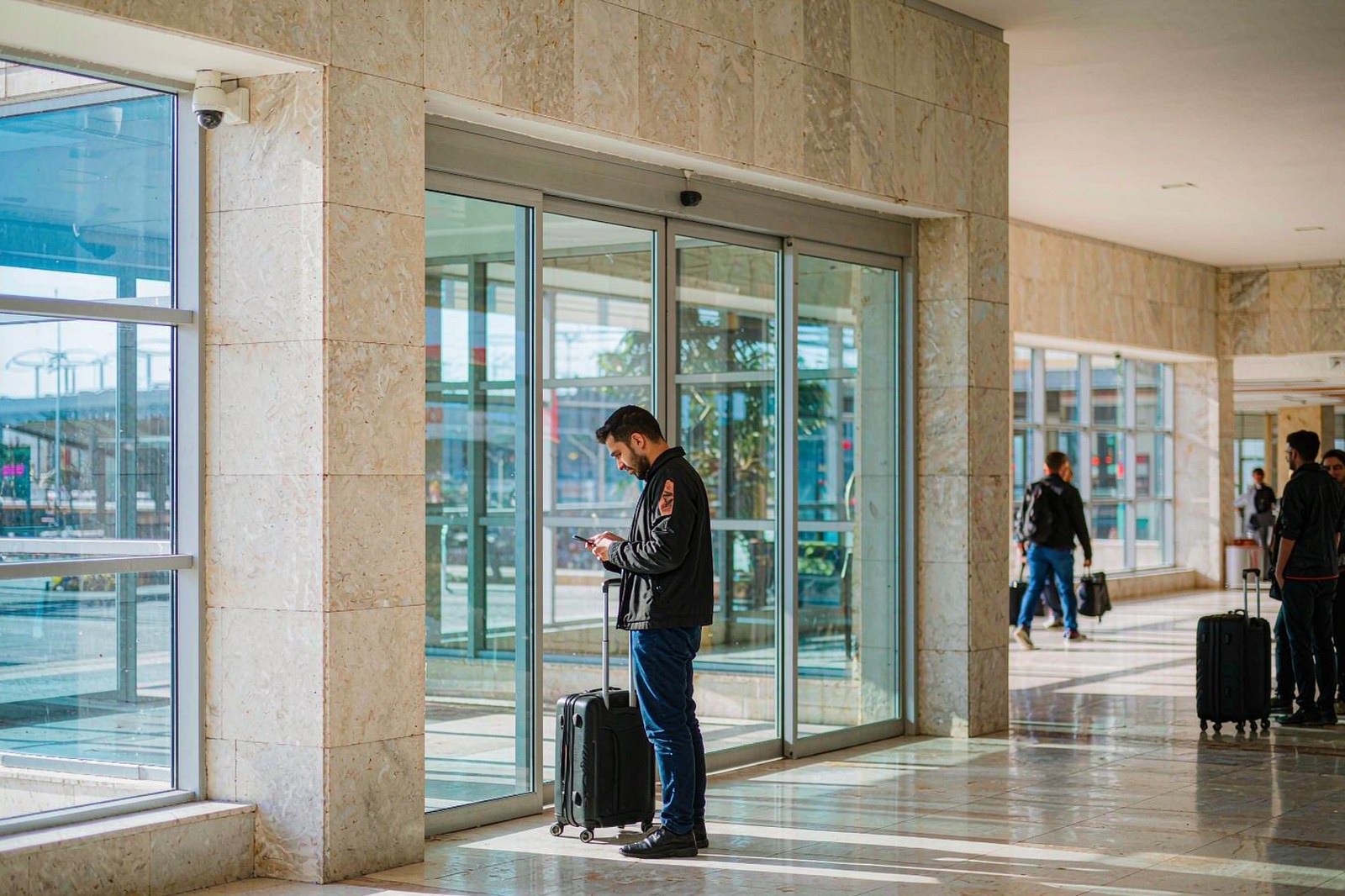
The first ten minutes after landing in Croatia decide the rest of the trip’s connectivity, and they are the ten minutes nobody prepares for. Not because the setup is hard — it is four taps and a restart — but because you are doing it while tired, in a queue, with a suitcase, on an airport network that may or may not be the one you think.
This page is the arrival manual. It assumes you have bought nothing yet or bought something and have not installed it, and it walks both cases to a working connection. It is aimed at first-time visitors, so it starts earlier than most guides do: with which door you are walking through, because Zagreb, Split, Dubrovnik and a ferry terminal are four different arrivals with four different problems.
The short version for anyone about to board: install the eSIM at home on Wi-Fi, leave the line switched off, and switch it on once the plane has landed and the doors are open. Set data roaming on for that line, set it as the mobile data line, keep your home line active for calls and texts but with data off. That is the whole method. Everything below is why each step exists and what to do when one of them fails.
Which door you arrive through changes the first twenty minutes
Croatia has four airports and two seaborne arrival points that matter to tourists, and they are not interchangeable.
Zagreb (ZAG). The inland hub, the calmest of the four, and the one with the most reliable public transport into the city — a bus that runs frequently and a taxi rank outside arrivals. Prepaid cards are sold at the Tisak kiosk in the arrivals hall. If your trip starts inland and moves to the coast after a few days, Zagreb is where the kiosk queue will be shortest.
Split (SPU). The busiest seasonal airport on the coast, and the one where an August arrival can put several hundred passengers into arrivals within twenty minutes. The kiosk queue reflects that. Split is also the airport most likely to be your transfer point to a ferry, which means you may be installing an eSIM in a bus rather than in a terminal — a good reason to have done it before you left.
Dubrovnik (DBV). Small, close to the city, and constrained by terrain, which makes it prone to arrival congestion at peak times. The airport bus meets most flights; a taxi is expensive relative to the distance. Again: kiosk in arrivals, queue in season.
Zadar (ZAD). The quietest of the four and the one where you are most likely to walk straight out. If your plan is a rental car and the Dalmatian coast north of Split, Zadar is a pleasant arrival and the kiosk will take two minutes.
The seaborne doors. Ferries from Italy land at Split’s port terminal and at Dubrovnik’s Gruž; cruise ships land at Gruž, at Split, and at Zadar. There is no arrivals hall with a SIM kiosk at a ferry berth. You walk off with a suitcase and no Wi-Fi and no shop — which makes a ferry or cruise arrival the single strongest case for having an eSIM already installed.
| Door | Kiosk in arrivals | Typical queue in August | Best plan if you have not bought |
|---|---|---|---|
| Zagreb (ZAG) | Yes, Tisak | Short | Either, kiosk is fine |
| Split (SPU) | Yes, Tisak | Long at peak arrivals | eSIM, installed at home |
| Dubrovnik (DBV) | Yes, Tisak | Long at peak arrivals | eSIM, installed at home |
| Zadar (ZAD) | Yes, Tisak | Very short | Either |
| Split ferry terminal | No | — | eSIM only |
| Dubrovnik Gruž (ferry or cruise) | No | — | eSIM only |
The rule of thumb: if you land at an airport with time to spare, the local card is a legitimate choice and often cheaper for ten days of unlimited data. If you arrive by sea, or late, or into a peak-season queue, the eSIM is not a convenience — it is the only thing that works.
Install it at home: the twelve-screen sequence on iPhone
Do this on Wi-Fi, at a desk, with the confirmation email open in another window. Twelve screens sounds long; it takes about three minutes.
- Settings → Cellular. On iOS 18 and later this is the entry point for everything below.
- Add eSIM. If your carrier menu offers “Add eSIM” directly, use it; otherwise choose “Add Cellular Plan”.
- Scan the QR code from your provider’s email or app. The camera needs the code flat and well lit; a code on a dimmed laptop screen is the most common cause of “cannot read code”.
- Label the line. Name it something you will recognise at 01:00 in an airport — “Croatia” is better than “Secondary”.
- Choose “Set Up Later” if asked about your primary line. You are not porting your number; you are adding a data line.
- Default line for cellular data. Leave this on your home line for now. You will switch it after landing.
- iMessage and FaceTime. Leave them on your home number if you want those to keep working with your contacts.
- Turn the new line off. This is the step people skip. The profile is installed but inert, which prevents it from activating on a stray signal before you travel.
- Data roaming for the new line. Settings → Cellular → [the Croatia line] → Data Roaming on. Travel eSIMs roam onto the local network by design, so this must be on even though it looks like a warning.
- Mobile data switching. Leave “Allow Cellular Data Switching” off until you are in Croatia; turning it on early can move data onto the wrong line.
- Screenshot the install confirmation, including the ICCID or the plan name. It is your evidence if anything goes wrong later.
- Restart the phone once at home, so the profile is registered with the system and the first post-flight boot is not the first time the phone sees it.
Then put the phone in your bag and do not touch it again until you land.
The same sequence on Android, and where it differs
Android’s menus differ by manufacturer, so exact wording varies. The path is consistent:
Settings → Network & internet → SIMs → Add eSIM, or on Samsung Settings → Connections → SIM Manager → Add eSIM. From there the flow matches iOS: scan the QR, name the plan, choose what it is for, and leave it disabled.
Three Android-specific differences worth knowing:
- Some manufacturers hide the eSIM menu until a carrier profile exists. On a few models the option appears only after the first eSIM is added, which makes a first-time install feel impossible. If the menu is missing entirely, the device probably does not support eSIM — check the device list rather than hunting through settings.
- “Mobile data” and “Data roaming” live in different screens on several skins. Both must be set: data on the Croatia line, roaming on the Croatia line. Turning on one and not the other is the single most common Android failure.
- Dual-SIM settings sometimes reassign the default data line on reboot. After your first restart in Croatia, confirm the default data line is still the travel eSIM before you conclude the plan is broken.
The only thing that matters at the end is the same on both platforms: the Croatia line is enabled, roaming is on for it, and the phone is using it for mobile data.
Three settings that break a Croatia eSIM on arrival
Ninety per cent of “my eSIM does not work” cases in Croatia come down to three switches. Check them in this order.
One: data roaming is off for the travel line. Travel eSIMs are roaming profiles — the data is delivered by a partner network, which your phone sees as a foreign network. With roaming off, the profile installs, shows bars, and moves no data. Every provider’s instructions say this, and it is still the most common miss.
Two: the phone is still using the home line for data. Installing a second line does not move your data onto it. If the home line is still the default data line and its data is on, you are roaming on your home tariff at whatever your operator charges. Either switch the default data line to the Croatia eSIM, or turn data off on the home line entirely and leave it for calls and SMS.
Three: the line is enabled but not selected in iOS’s dual-SIM switching. With “Allow Cellular Data Switching” on, iOS can route data through whichever line it prefers. In a border area this can push traffic onto your home line, and on the coast it can produce an odd half-working state. Leave switching off for the trip.
A fourth, less common cause: an APN field that is blank. Most travel eSIMs populate the APN automatically. If yours arrives blank and nothing loads, the provider’s setup page will give you the string — this is the one setting worth asking support for directly rather than guessing.
The sixty-second test at the gate
Before you leave the terminal, confirm the connection works. Sixty seconds, four steps:
- Turn the Croatia line on and wait for the carrier name to appear in the status bar. It will not say “Croatia” — it will say the name of whichever operator you are attached to.
- Toggle airplane mode on and off once. This forces a fresh network registration and resolves most first-connection failures.
- Load a page with images, not a speed test — a news site or a map. Speed tests can succeed through a captive portal or a cached result; an image-heavy page cannot.
- Run one real query, ideally the one you will need next: the bus schedule, the ferry time, or directions to your accommodation.
If all four pass, close the settings app and stop touching it. If any fail, do not start changing settings at random — move to the ladder below, in order, because each step assumes the previous one is correct.
The ladder: confirm the Croatia line is enabled → confirm roaming is on for it → confirm it is the default data line → restart the phone → toggle airplane mode → check that the home line’s data is off → open support chat with a screenshot of the error. Six steps, two minutes, and it resolves the overwhelming majority of cases.
What to do when the QR code will not scan
The scan failure is a camera problem ninety per cent of the time, and a code problem the rest.
- Brightness. Turn the screen showing the code to maximum, and turn off any blue-light filter or dark mode that dims it.
- Distance and angle. The camera needs the whole code in frame, flat, about 15 cm away. Holding it too close is as bad as too far.
- Reflections. A code on a glossy laptop screen under airport lighting can be unscannable. Send the email to your phone instead and open it on the phone itself — but then you cannot scan your own screen, which is why the fallback below exists.
- Manual entry. Every QR code is a wrapper around two strings: an SM-DP+ server address and an activation code. Your provider’s email has both in text. iOS and Android both offer “Enter details manually” under the scanner. This route works when the camera cannot.
- In-app install. If you bought through a provider app rather than a website, the app can install the profile directly without any code at all. Saily, for one, works this way: the profile lives in the app, which is why its Croatia plans do not depend on an email arriving.
One warning: do not scan the same QR code twice on the same phone, and do not scan it on a second phone “to test”. Most profiles are single-use, and a second scan either fails or, worse, consumes the activation. If you need the plan on a second device, that is a second purchase.
Arriving after midnight: what is open and what is not
Late arrivals are where the eSIM stops being a preference and becomes the only option.
At Zagreb, Split and Dubrovnik the terminal building stays open, but the Tisak kiosk and the operator counters close in the evening. Exchange offices close too, which matters if you were counting on buying a card with cash. Taxi ranks thin out. The airport Wi-Fi usually works but wants an email address and sometimes an SMS code to your home number — which is fine if your home line is active, and a dead end if you swapped it out for a local card.
The sequence that works at 01:00: land with the eSIM already installed and switched off, switch it on in the immigration queue, confirm data before you reach baggage, and use it to book a ride or check the bus. If you are arriving into Split and continuing to a ferry the next morning, check the ferry company’s app before you sleep — timetables are published per season and the first morning departure is often earlier than people expect.
For a Dubrovnik arrival into Gruž rather than the airport, there is no kiosk at all. The old town is a short bus or taxi ride away and the walk from the port is uphill with luggage. Having data before you step off is the difference between a ten-minute walk with directions and a twenty-minute one without.
What a first-timer gets wrong at each door
Four failures, one per arrival type, each of which is avoidable with one action.
Zagreb: buying a card and then discovering it is domestic-only. Croatian tourist prepaid cards are sold as Croatia-only products and generally do not include EU roaming. If your itinerary continues to Slovenia or Italy, the cheap card stops working at the border. The operator-by-operator details cover what each bundle includes, but the short version is: check the roaming line before you pay.
Split: installing on the airport Wi-Fi and losing the email. Airport Wi-Fi is often time-limited and drops you at the exact moment the QR code downloads. Install at home, or at minimum download the QR image before you connect to anything.
Dubrovnik: assuming the old town has good signal everywhere. It mostly does, and the walls are a different story — thick stone, narrow streets, and a lot of people on the same cells. Download the offline map of the old town before you walk the walls; it costs 20 MB and saves the twenty minutes you would spend looking for a signal on the ramparts.
Zadar or any ferry arrival: having no plan for the first hour. Ferries land you in a town centre with no kiosk, sometimes no open café, and a bus that runs on a schedule you cannot look up. This is the arrival where a pre-installed eSIM is worth more than any price difference.
Is there actually eSIM coverage in Croatia?
Yes, and it is better than most first-timers expect, with three predictable exceptions.
Hrvatski Telekom, A1 Hrvatska and Telemach all support eSIM, the coast and the inhabited islands have 4G and growing 5G coverage, and independent testing in August 2026 put Croatia’s median mobile download around 120 Mbps — fast enough that speed is not the constraint on any normal tourist activity.
The three exceptions:
- The middle of a ferry channel. Signal drops between islands because there is no cell site in open water. It returns on approach. This is normal and identical for every provider.
- Inland, away from the main roads. The interior between the coast and Zagreb has thin coverage in places, and the mountain areas are thinner. If your itinerary includes a drive through the interior, download offline maps before you set off.
- The smallest outer islands. The main Dalmatian islands behave like the mainland; the small ones can drop to a weak signal that handles messages and nothing else.
What is not an exception, despite what you may read: the specific operator. Any travel eSIM you buy will attach to one of the three national networks, and none of the providers publishes which. Island coverage in Croatia is a geography problem, not a brand problem — which is why choosing a plan on the strength of a carrier name is choosing on marketing copy.
Six things to download before you board
This list takes eight minutes at home and prevents most of the friction of the first two days.
- Offline maps of every island on your route. Google Maps and Apple Maps both cache regions; do it on Wi-Fi.
- Ferry timetables as screenshots, including the return leg. The operators’ sites are PDF-heavy and slow on mobile data.
- Your accommodation’s address and phone number as text, not just a pin. Island addresses are often a house name and a harbour, and a pin can land on the wrong side of a bay.
- The ride-hail app, installed and with a card added. Whether you use it or not, having it configured means the option exists at 01:00.
- Your bank’s app, with the travel notification set. Card blocks triggered abroad are one of the most common reasons a first day goes wrong.
- A translation app with Croatian downloaded offline. Not because you will need it in Dubrovnik, but because it is free and it solves the one menu or pharmacy label you cannot read.
The eighth minute is spent on the thing most people skip: write the eSIM’s support chat location and your order number into your notes app. If the plan fails, you will be looking for it under pressure with no data.
When the phone works but the apps do not
A specific failure mode worth its own paragraph, because it looks like a broken plan and is not.
Your browser loads, a speed test passes, but one app refuses to work — usually a banking app, sometimes a ride-hail app, occasionally a ferry operator’s app. Three causes, in order of likelihood:
The app is region-locked. Some banking and payment apps refuse to operate on a data connection they associate with a different country, or demand a re-authentication when the IP location changes. The fix is to log in again on the new connection, or to use the app over your home line’s data if it is still enabled.
The app relies on SMS to your home number. Verification codes arrive on your home line, which stays active for exactly this reason. If you removed your home SIM to fit a local card, this is where that decision costs you.
The app has cached a captive-portal state. Airport and café Wi-Fi portals can leave an app believing it is behind a login page. Force-quit the app and reopen it on mobile data; the state usually clears.
None of these is a plan fault, and none is fixed by reinstalling the eSIM. The general principle for the first day: if the browser works and one app does not, the problem is the app.
The first ferry you take: what to do before the doors close
Ferries are where a first visit to Croatia stops feeling like a European city break and starts feeling like an island country. The boarding process is simple and unforgiving of unprepared phones, because the things you need are all online.
Before you walk to the port. Buy the ticket online if the operator sells them that way — the state ferry company and the catamaran operators both do — and screenshot it. A PDF ticket that lives in an email is useless when the queue is moving and the network is saturated by a few hundred people doing the same thing.
At the gate. Have the QR code ready on the phone at full brightness, not in a folder. Boarding staff scan fast and a phone that needs unlocking, opening, waiting for a download and then being handed over costs everyone time.
On board. This is the part to prepare for: for a stretch in the middle of the crossing there is no signal at all. Anything you did not download before casting off does not exist for the next forty minutes. The list worth having offline is short — the arrival address, the return timetable, the accommodation’s phone number as text, and a map of the arrival town.
On approach. Signal returns before the ship docks. That is the window to send the message that says you are nearly there, and to open the map so it is already loaded when you step off.
One practical note about luggage and data: boats fill from the car deck up in season, and standing on an open deck with a suitcase is where people drop phones. A cheap wrist strap costs less than a replacement screen, and this is the single most common way a working plan stops being usable on day two of a Croatian trip.
Island arrival: the twenty minutes after the dock
Stepping off a ferry is the least supported arrival in Croatia. There is no terminal, no information desk, no Wi-Fi portal, and often no taxi rank — just a quay, a town, and a bus stop whose timetable assumes local knowledge.
What works, in this order:
- Walk to your accommodation using an offline map. Pins for island apartments are frequently placed by owners from memory, so the pin can be 200 metres off, on the wrong side of a bay, or on the second floor of a building with no number. Having the address as text lets you ask someone.
- Do not rely on a ride-hail app on arrival. Coverage of the small islands is thin to nonexistent, and even where the app works there may be no driver within range during the ferry surge. The realistic options are a taxi if one is waiting, the local bus, or walking.
- Check the return timetable on the spot, while you still have signal from the harbour. Off-season services run a few times a day and the first useful departure is often earlier than visitors assume.
- Find the nearest shop that sells top-ups. Not because you will need one, but because knowing where it is changes how relaxed you are about using data for the rest of the stay. On the smaller islands this is often a kiosk with limited hours.
- Take the speed test. One test from the harbour gives you the number for the whole stay, and it is the number you will quote if a plan later misbehaves. Keep the screenshot.
The mistake first-timers make on islands is treating connectivity as solved because the phone worked in Split. The profile is the same; the cell is not. Twenty minutes of orientation on arrival is worth more than a bigger data plan.
Getting a Croatian number without giving up your eSIM
Some of the reasons people give for buying a local SIM are real, and it is worth separating them from the ones that are not.
Real: you need a number that local services can call you back on. Restaurant reservations, apartment owners coordinating a check-in, a taxi company that phones when the car arrives, a tour operator confirming a weather cancellation. A data-only eSIM cannot receive those calls.
Not real: ride-hail apps. Uber and Bolt-style apps register with your home number and verify by SMS while you are roaming, which works. You do not need a Croatian number to book a car.
Also not real: “you need a local number for the ferry app”. Croatian ferry operators sell tickets to passport-holding foreigners through ordinary online checkout.
If you do need a number, the configuration most people end up with is a dual-SIM arrangement: the eSIM holds the data line, and a cheap local prepaid card holds the number. On a modern phone that means the local card in the physical tray and the eSIM active alongside it, with data routed to the eSIM and calls and SMS routed to the local card. Two things to set explicitly: default voice line to the local card, and data switching off so iOS does not quietly reroute traffic.
The alternative, if your phone has no spare tray — most recent iPhones have no physical tray at all in some markets — is a provider that sells a number add-on. Saily, for instance, offers a US number product with a minutes allowance alongside its data plans, which solves the “reachable number” problem without solving the “Croatian number” problem. For restaurant bookings, a reachable foreign number is usually enough.
What you should not do is buy a local card intending to use it for data as well as calls, install it as the only line, and then discover that the cheap tourist bundle is domestic-only and your data stops at the Slovenian border. That is a plan problem disguised as a number problem, and the operator detail explains which bundles include roaming and which do not.
August in Dubrovnik: when the cell site is the bottleneck, not your plan
Every guide tells you to check your plan. Almost none tells you that in the last week of July and all of August, the plan is not what is failing.
A cell site has a fixed amount of backhaul and spectrum. Dubrovnik’s old town is a walled granite bowl with a cruise terminal a few hundred metres away, and on a peak summer morning the terminal can land several thousand passengers into the same few hectares within two hours. The site serving Stradun was sized for residents and a normal tourist load, not for that surge. Bars stay full, the 5G icon stays lit, and nothing loads between about eleven and three.
| Time of day | What the phone shows | What actually happens |
|---|---|---|
| 07:00–09:00 | Full bars, 5G | Normal speed, often the best of the day |
| 11:00–15:00 | Full bars, 5G | Congestion: messages send slowly, images fail, maps stall |
| 16:00–19:00 | Full bars | Recovers as the cruise coaches leave |
| 21:00–23:00 | Full bars | Second dip, this time from everyone uploading the day |
The diagnostic is the same one that separates throttling from congestion everywhere: run a speed test at eight in the morning and again at one in the afternoon, from the same spot. If the morning number is several times the afternoon number, you have a crowd, not a cap, and buying more data will not fix it. If both numbers are identical and low, the site is weak where you are standing, and walking two streets usually beats any setting.
What actually helps in the old town, in order of effect: use the apartment or hotel Wi-Fi for photo uploads and any video call; do the heavy things before nine; download the offline map of the old town and the city bus timetables the night before; and stop restarting the phone, because a phone hunting for a better cell in a saturated area burns battery and gains nothing.
The same pattern repeats in Split around the ferry terminal at departure peaks, in Hvar town when the afternoon catamarans arrive, and in Zadar at sunset, which is now a scheduled event with a crowd attached to it. If your trip is built around those three moments, plan to be offline during them rather than fighting them.
Your Croatian prepaid card roams across the EU, and that changes the one-plan question
Croatia joined the European Union in 2013, adopted the euro and entered Schengen on the same day in January 2023. Two of those three facts have a direct effect on how much data you should buy, and almost no Croatia guide connects them.
The one that matters most is roam-like-home. A Croatian prepaid card sold by a Croatian operator carries the same EU roaming rights as any other EU SIM, which means it works in Slovenia, Italy, Austria, Hungary and Greece at domestic rates, subject to a fair-use allowance. If your trip is Split, then a week in Italy, then back, a single Croatian prepaid card can legitimately cover both legs. An international travel eSIM covering only Croatia cannot.
The one people get wrong is the neighbourhood. Bosnia and Herzegovina, Montenegro and Serbia are not in the EU, and roam-like-home does not reach them. This is not a technicality for a Dubrovnik trip: Kotor and Mostar are day trips that thousands of visitors make, and a Croatian prepaid card crosses those borders into paid roaming or no service at all. A travel eSIM sold as a Balkans or Europe regional plan usually covers them; a Croatia-only plan usually does not.
| What you bought | Works in Croatia | Works in Slovenia and Italy | Works in Montenegro and Bosnia |
|---|---|---|---|
| Croatia-only travel eSIM | Yes | No | No |
| Croatian prepaid card | Yes | Yes, roam-like-home with fair use | Paid roaming or nothing |
| Europe regional eSIM | Yes | Yes | Depends on the plan’s country list |
| Balkans regional eSIM | Yes | Usually not | Yes |
Practical consequence: decide your borders before you decide your plan. A Croatia-only trip is cheapest bought as a Croatia-only eSIM. A Croatia-plus-Balkans trip should be bought as a regional plan, because a Croatian card will not follow you into Kotor and a second local card in Montenegro means another counter, another passport and another queue. The operator page lists which Croatian bundles include roaming and which are domestic-only, and that distinction is worth checking before you pay rather than at the border.
When a Europe-wide plan undercuts a Croatia-only plan by more than the difference
The instinct is to buy the plan named after the country you are in. That instinct is right for a single-country trip and wrong for a surprising number of real Croatian itineraries.
The break-even is not about price per gigabyte. It is about how many borders you cross and how much of the trip happens near one. Three trips, priced against each other:
| Trip | Croatia-only eSIM | Europe regional plan | Which is cheaper |
|---|---|---|---|
| Seven days, Split and Hvar, no other country | $9–15 for 5–10 GB | $20–35 | Croatia-only, clearly |
| Ten days, Zagreb to Dubrovnik with a Kotor day trip | $12–18, plus a separate Montenegro buy or a roaming charge | $25–40 covers all three countries | Regional, once the Montenegro top-up is counted |
| Two weeks, Croatia then Venice and Ljubljana | $15–20 for Croatia only, unusable after the border | $30–45 for the whole route | Regional, by a wide margin |
Two things about regional plans are worth knowing before you compare them. First, the country list is the product: two plans at the same price can differ entirely in whether they include Bosnia, Albania or Kosovo, and the Balkans is exactly where those gaps appear. Second, a regional plan is usually one profile with one data pool, which means the moment you cross into a country it covers, data keeps working with no action from you — that is the actual thing you are paying extra for, not the gigabytes.
Where the Croatia-only plan still wins: a single-base holiday, a sailing charter that stays in Croatian waters, and any trip where the phone is a backup rather than the main connection. Paying for four countries when you will only see one is a small tax, but it is still a tax, and the Europe eSIM comparison is where the regional options are actually ranked against each other.
Bura days: the morning your ferry is cancelled and the app will not load
The bura is a cold, dry, gusting north-easterly that funnels down the Velebit and hits the Adriatic coast and the channel crossings hardest. In winter it closes bridges and roads; in summer it closes catamarans and small ferries first, often with a decision made at six in the morning for a nine o’clock sailing.
This is the single best argument for a data plan that is installed and working before you need it, and it is the scenario no plan comparison covers. What the cancellation morning actually looks like: you are at the port or in an apartment, the operator’s app is the only way to see whether your sailing is running, the ticket office queue is forty people deep, and the rebooking is online. If your data is not working at that moment, you are standing in the queue instead of rebooking from the coffee bar next door.
What to have ready before the first ferry, not after:
- The operator’s app installed and logged in. Jadrolinija and the catamaran operators sell and change tickets in their own apps; a browser bookmark is not the same thing when the site is under load.
- The booking reference saved as a screenshot, not only in an email that needs data to open.
- A reserve of about 500 MB you have not touched. Treat the last half gigabyte of your plan as an emergency fund for exactly this morning, not as data for the beach.
- The operator’s phone number saved in contacts, because a voice call over a weak 3G signal gets through when an app will not load.
Two failure modes are worth naming. The first is a plan that has already run out, which presents as “connected but nothing loads” and gets misdiagnosed as a network fault. The second is a phone that has switched itself to a neighbouring country’s network at the harbour mouth, where the channel is narrow enough for a Montenegrin or Italian cell to win; if the app suddenly wants to charge you, check which network you are attached to before you assume the plan has failed.
What Jadrolinija, Bolt and Glovo actually cost you in data
Data budgets get written as “1 GB is enough for a week” without saying what the gigabyte is spent on. Here is the same question at the level of the apps a Croatian trip actually uses.
| What you are doing | Data per use | Notes |
|---|---|---|
| Loading a ferry timetable or buying a ticket in the operator app | 1–3 MB | Tiny, but it needs a live connection at the moment you do it |
| Ride-hail app, one booking | 1–2 MB, plus background location | The booking is small; the location polling is what runs all day |
| Maps navigation, one hour, online | 5–8 MB | Offline-downloaded map, roughly zero |
| Food delivery app, one order | 2–4 MB | The menu images are the cost, not the order |
| Voice call over mobile data, one minute | 0.5–1 MB | Cheapest way to talk if your home line is data-only |
| Video call, one hour | 250–500 MB | The single biggest line item in most trips |
| Photo upload, 50 photos | 150–250 MB | Hotel Wi-Fi exists for exactly this |
| One hour of short-video scrolling | 250–350 MB | What actually empties a 5 GB plan on a beach holiday |
Add it up for a realistic island day: two ferry-app checks, one ride-hail booking, an hour of navigation, twenty minutes of messaging, forty photos uploaded on Wi-Fi and no video, and you land in the 120–200 MB range — well inside the 300–500 MB coastal day the earlier section assumes. Add a single hour of video and the same day passes a gigabyte.
The practical rule that falls out of this table: buy data for the two things you cannot postpone — the ticket and the booking — and let the photographs wait for Wi-Fi. A 5 GB plan spent that way covers two weeks of island hopping. A 20 GB plan spent on video calls covers four days. Nobody needs the second plan; some people need the first one twice, because the daily cap on a cheap “unlimited” tier behaves exactly like the reserve running out.
Frequently asked questions
Can tourists get an eSIM in Croatia?
Yes, easily, and it is the most common way visitors buy data. You buy a plan online before you travel, install it as a profile on your phone, and it activates when it reaches a Croatian network. No shop, no queue, and no Croatian identity documents — unlike a local prepaid card, where the counter may ask for a passport depending on the operator and the shop.
Do I need a passport to buy a SIM card in Croatia?
Sources disagree, and that disagreement is itself the answer. Some guides state that Croatian prepaid SIMs are registered and require a passport; others report that prepaid cards are not registered and can be bought in a kiosk without one. Operator shops tend to ask for identification, especially for tourist bundles; kiosks are more variable. Carry your passport and the question stops mattering. An eSIM avoids the issue entirely because there is no registration step.
Is 1 GB enough for a week in Croatia?
For a city break with hotel Wi-Fi, yes. For an island trip, no — a realistic coastal day with maps, photos and messaging runs 300–500 MB, and a day with video or a work call runs past 1 GB. If your nights have reliable Wi-Fi, 1 GB is a reasonable floor; if they do not, treat 5 GB as the minimum.
Will my Croatia eSIM work on the islands and ferries?
On the islands, yes, with the small outer ones weaker than the main Dalmatian islands. On ferries, the connection drops mid-channel because there is no cell coverage in open water, then returns as you approach land. Download maps and timetables before boarding rather than relying on the crossing.
Does a Croatia eSIM work if I arrive by cruise ship?
Yes, and it is the arrival where it matters most. Cruise terminals at Dubrovnik, Split and Zadar have no SIM kiosks, and passengers disembark into a working day with no time to find one. An installed eSIM means you walk off with data already live.
Why does my Croatia eSIM show bars but no internet?
Three causes cover almost all cases: data roaming is off for the eSIM line, the phone is still using the home line for data, or the profile has installed but not registered on a network. Restart once, confirm roaming is on for the travel line, then confirm it is the default data line. If it persists, open a support chat with a screenshot before changing anything else.
Do I need to install the Croatia eSIM before I fly?
You should, and the reason is diagnostic rather than convenience: installing at home proves the phone accepts the profile while you still have time to solve a device problem. Leave the line switched off after installing so the plan does not activate early, then enable it after landing.
Is airport Wi-Fi in Croatia good enough to install an eSIM on arrival?
Usually yes, and it is still the wrong plan. Airport Wi-Fi is time-limited, congested at peak arrivals, and sometimes behind a portal that wants an SMS to your home number. Installing before you travel removes all three failure modes and takes three minutes at a desk.
Can I use a Croatia eSIM on a tablet or a second phone?
If the device has eSIM hardware and is not carrier-locked, yes — but most plans are single-use, so one purchase attaches to one device. The workaround for a second device is hotspot from the phone holding the plan, which is allowed by most providers and is why hotspot terms are worth checking before you buy. A tablet with its own cellular modem is better served by its own small plan than by tethering all day, because tethering is the fastest way to drain a phone battery on a ferry or a beach. The unlimited-data arithmetic covers what happens when a shared plan hits its daily cap.
What if the Croatia eSIM stops working in the middle of the trip?
Work three things before assuming the worst: check the usage counter in the provider’s app (a plan that has run out of data often presents as “connected but nothing loads”), check that the line is still enabled and still the default data line after any restart, and check whether you have crossed into a border area where the phone attached to a neighbouring country’s network. Two of those three are the cause in most mid-trip failures. If the plan is genuinely misbehaving, the activation error walkthrough lists the error messages by name.
The one-paragraph version to screenshot
Install at home on Wi-Fi, name the line, leave it switched off, turn roaming on for it, and restart once. After landing, switch the line on in the immigration queue, set it as the mobile data line, and run the sixty-second test before you leave the terminal. Keep your home line active for calls and codes with its data off. If nothing loads, work the ladder in order rather than changing settings at random. And if you arrive by sea, or after midnight, or into an August queue at Split, that sequence is not a convenience — it is the only version of the first hour that works.
For the price side of the decision, the ranking page compares what each plan actually costs per gigabyte, and the unlimited breakdown covers what happens when a plan says unlimited and does not mean it.